Capsa: Stop Renting Your Documentation
Today I’m open-sourcing Capsa, a self-hosted documentation platform. You write MDX; it renders a polished docs site (prerendered static HTML, a ⌘K command-palette search, a themed OpenAPI reference, social cards, AI-friendly exports) and it deploys to Cloudflare Pages (or any static host) for free. It’s a Vite + React + Tamagui app you fully own and can edit.
Why I Built This
I’m a believer in documentation, not the compliance kind that gets written once and rots, but the useful kind. Runbooks for problems I’ve already solved. The “here’s how you actually get this running” page that saves a new person their first two days. The record of why a decision was made, so the next engineer, often the next version of me six months later, doesn’t have to reverse-engineer the reasoning from the code.
I was already building an internal Markdown docs site for exactly this. Then I went to pick a “real” platform for the products I’m about to ship, priced the options, and ran into the same wall everyone hits. Mintlify gives you managed and polished, but you rent it and your content lives in their cloud. Docusaurus and Nextra let you own your stack and host it free, but you maintain the thing yourself: assembling search and OpenAPI and social cards, fighting the theme system. I wanted to own my stack, skip the infrastructure headache, and skip the rent. Nothing I found was offering that combination, so I built it.
A capsa was the cylindrical case a Roman carried their scrolls in. This one holds yours. All of my products follow a Roman theme, and this one was almost too on the nose: a container you own, that protects the documents you put inside it, that you carry with you rather than leave in someone else’s library.
The Cost of Renting
Let me be fair to Mintlify first, because it’s genuinely good: the editing experience is polished, the agent and assistant features are real, and a serious slice of recent YC batches ship docs on it. If you want a managed platform with a web editor your non-technical teammates can use, it’s a strong choice.
But I priced the plan I’d actually have needed, and when I evaluated it the tier ran about $450/month: roughly $5,000 a year. The features gating that price were things like webhooks, websockets, a developer API, platform and agent analytics, advanced insights, enterprise file types, and multi-repo deployments. (Mintlify has since moved toward a credits-based model, so check current pricing: my point is the class of cost, not the exact SKU.)
Here’s the honest accounting for my situation. Platform and agent analytics, advanced insights: I’d drop in PostHog’s free tier and be done. Multi-repo, combining several product repos into one site, is a real feature, but it’s Enterprise-only and I don’t need it yet. Enterprise file types like PDF/DocX rendering don’t matter because I write Markdown; I could add rendering later if anyone actually asks. And the managed hosting itself I get from Cloudflare Pages for free.
I’m not saying those features are worthless. A managed solution is a real thing to pay for, and if you’re a team without the appetite to run your own site, $5k a year is nothing against an engineer’s time. But for what is fundamentally a Markdown renderer plus a host, I couldn’t justify it. There’s a deeper reason than money, too: if someone else hosts your docs, you’re renting your documentation. Your content, your search index, your URLs, your theme all sit inside a vendor you’d have to migrate off of if the pricing or the product changed. Documentation is one of the few assets that should outlive every tool you used to write it. I didn’t want mine living on someone else’s shelf.
What I wanted, concretely, was a docs platform that’s configurable and personalized, easy to set up and manage, with no vendor lock-in, consistent with the stack I already use (Tamagui), and with first-class OpenAPI support, because the products I’m shipping have APIs and I didn’t want the API reference to be a bolted-on afterthought that looks nothing like the rest of the site.
What It Does
Capsa renders MDX into a real docs site. Drop a Markdown file into a folder under content/ and the path becomes the route: no manifest to update, no route to register. The shipped config auto-includes each content folder in the sidebar, so a new page shows up without touching navigation.ts; you edit that file only when you want explicit ordering or nesting.
---
title: Hello
description: My first Capsa page.
---

# Hello

This file is served at **/docs/guides/hello**: no config, no route to register.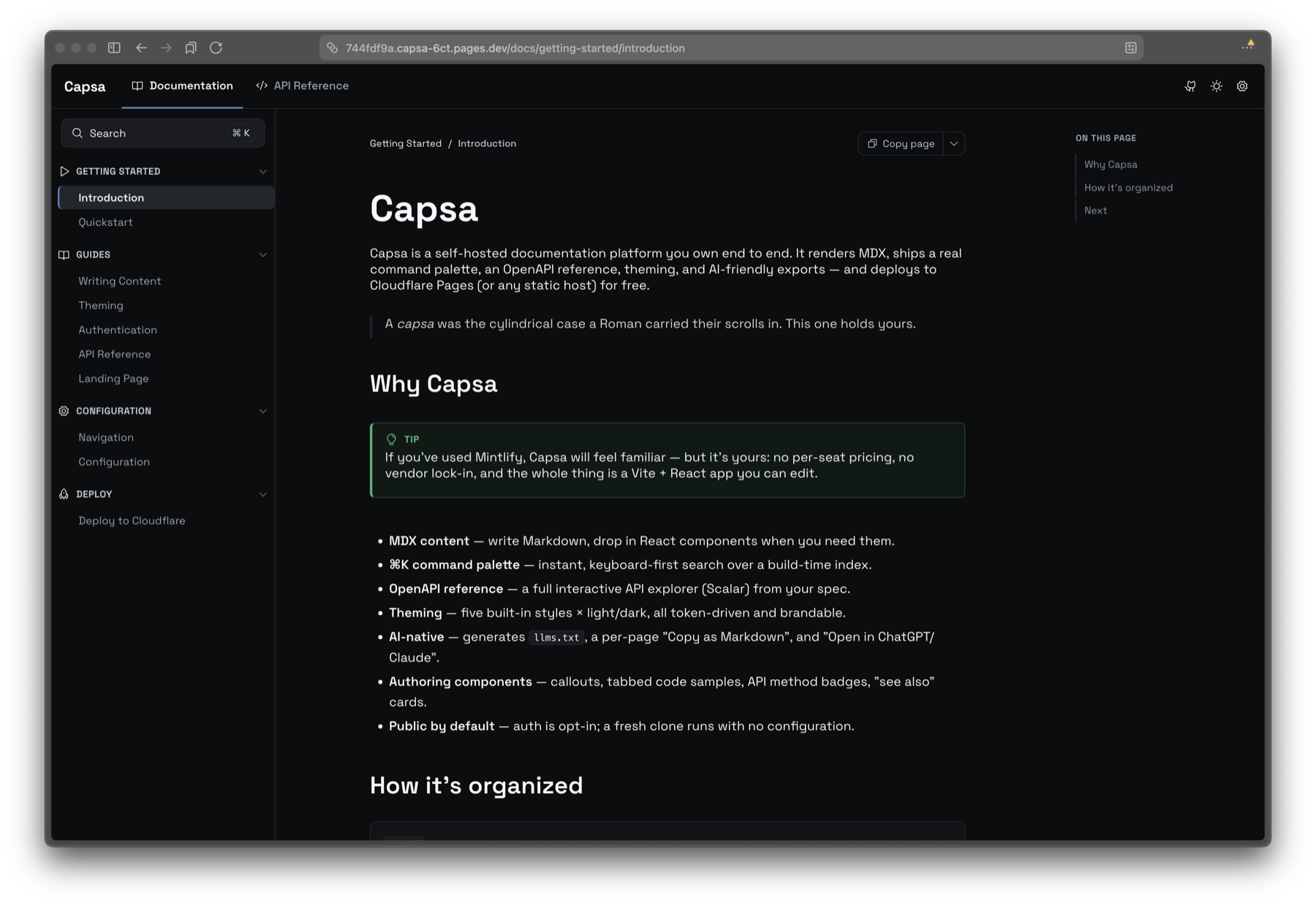
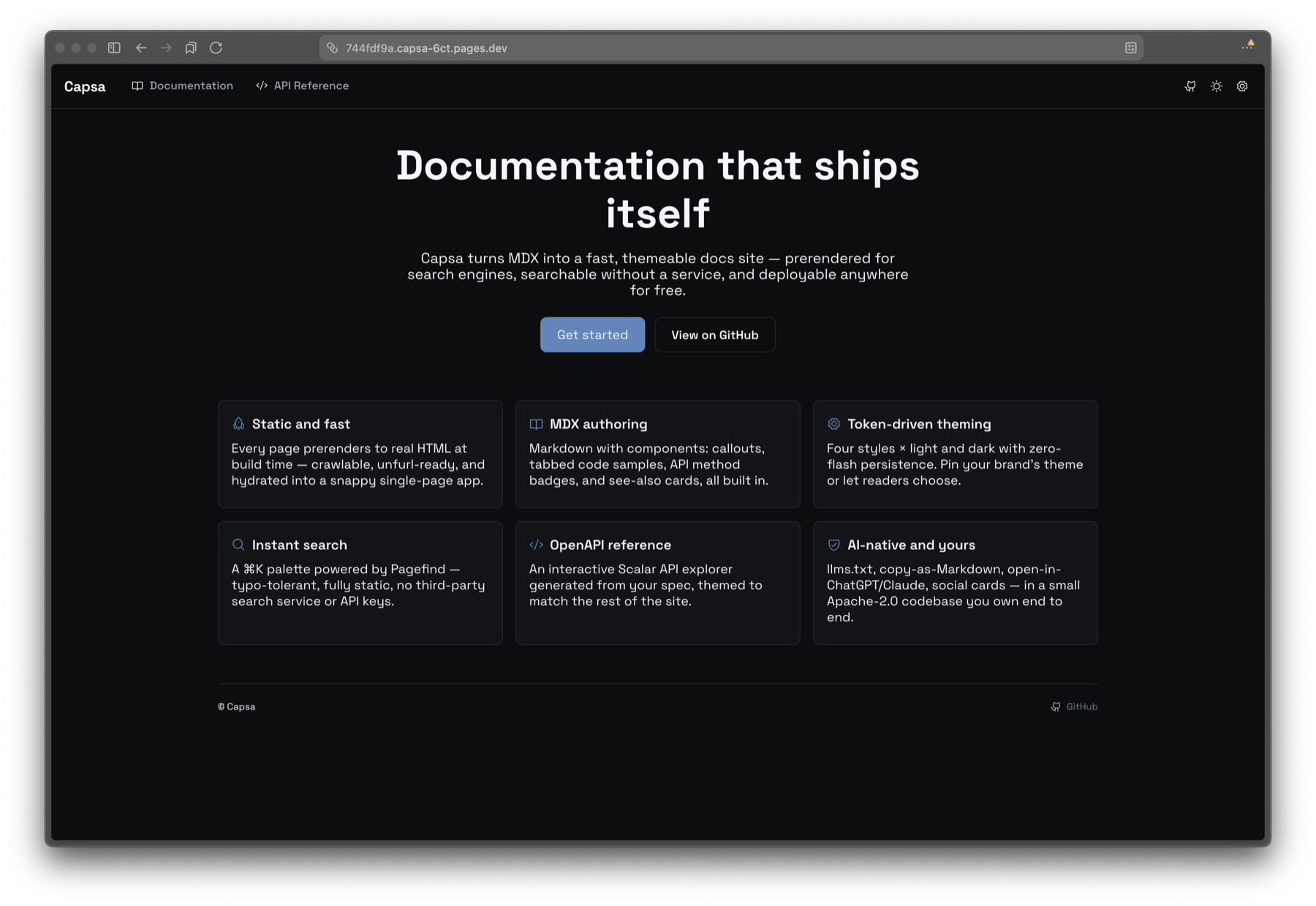
Drop a content/home.mdx and / becomes a proper landing page with hero, feature-grid, and CTA components; delete it and / redirects into the docs.
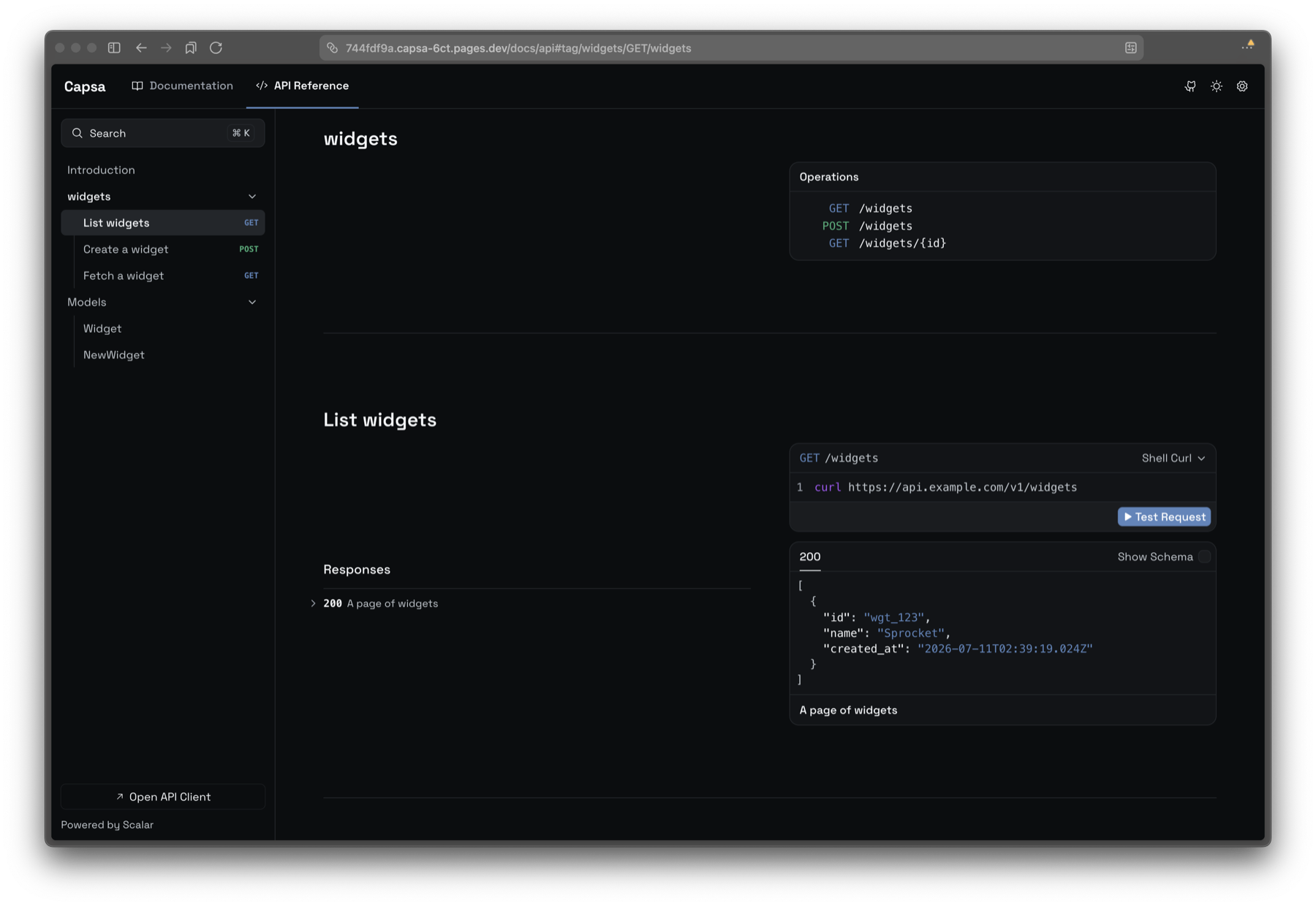
Point it at an OpenAPI spec and you get an interactive API explorer, themed to match the rest of the site rather than looking like a different product entirely.
How It Works
The stack is Vite, React 19, TypeScript, Tamagui, MDX, Scalar for the OpenAPI reference, Pagefind for search, and Satori for social cards.
The decision I care about most is theming the docs and the API reference from the same source. Most setups render your prose in one design system and your OpenAPI reference in whatever the API tool ships with, and the seam is obvious. In Capsa the Scalar reference is themed from the same tokens as everything else (four styles times light/dark, all brandable), so the API docs feel like part of the site instead of a tab that teleports you to a different product.
Search is Pagefind running over the prerendered pages: a keyboard-first ⌘K command palette, typo-tolerant, fully static, with a build-time JSON index as a fallback. No Algolia subscription, no search backend to run. For what should be a simple functioning website, I didn’t want a SaaS dependency just so people can find a page.
And every doc ships as real static HTML (the full article and crawlable nav links) that then hydrates into the SPA. That means it’s SEO-complete by default (titles, descriptions, OpenGraph, canonical URLs, sitemap) instead of the blank-shell problem you get from a pure client-side app. One pnpm build runs the whole pipeline: SSR bundle, then a prerender pass that writes static HTML, a social-card PNG per page, and the search index. And it deploys to Cloudflare Pages for free: build command, output directory, done.
Docs for a Second Audience
Here’s the part I think matters most going forward. Your documentation now has two audiences: the human reading it, and the model the human is about to paste it into.
Capsa treats that as first-class. It generates an llms.txt, every page has a “Copy as Markdown” action, and there’s an “Open in ChatGPT/Claude” button that hands the page straight to an assistant. The code comment on that feature says it plainly: zero backend, zero token cost, the user’s own assistant does the work.
This is AI discoverability, which is a different problem from SEO. SEO is for search-engine crawlers. What I’m after is making the docs trivially ingestible by an LLM, because more and more people don’t read the docs and then act: they feed the docs to an agent and ask it to act. If your documentation is a pile of client-rendered HTML an agent can’t cleanly read, you’ve made yourself invisible to a growing share of how your users actually work.
How Capsa Fits Among Other Tools
Capsa isn’t the only way to publish docs, and it isn’t trying to replace all of them. Mintlify and GitBook are managed, polished, and have a web editor: use them if you want that and are fine with renting. Docusaurus has an established, huge ecosystem and is self-hosted, but you assemble and maintain OpenAPI, search, and social cards yourself as plugins. Nextra is a lighter, Next.js-based alternative with the same gap. Plain Markdown in a repo is free and has zero features: no search, no theming, no SEO, no cards. Capsa’s niche sits in the gap those leave: self-hosted, free to run, OpenAPI and search built in, themed as one coherent site, built for both human and AI readers. If what you actually want is a managed dashboard and a web editor, that’s a different set of trade-offs than the one Capsa is making.
When Not to Use Capsa
Capsa is young, and I’m not going to pretend otherwise.
If you have non-technical contributors, there’s no WYSIWYG editor. You write Markdown and commit it; the “Edit this page” button opens the source on GitHub, and a push auto-deploys. If your PMs or support team need a visual editor, use Mintlify or GitBook instead. If you need translated docs, there’s no i18n or localization layer yet (the language switcher in Capsa is for code samples: Go vs. Python vs. curl, not human languages). Docusaurus has mature i18n; Capsa doesn’t have it at all. If you need reader-facing versioned doc sets, showing readers v1/v2/v3 of your docs isn’t built yet. Git holds the history, but that’s not the same as a version switcher. It’s a feature I can add; today it’s not there. If you want a managed platform with an SLA and support, there’s no one to call: you own uptime, migrations, and breakage. That’s the flip side of owning it.
And if you want the safety of an established player, Docusaurus has a massive community, years of plugins, and a StackOverflow answer for every problem. Capsa is new and, right now, effectively maintained by me. The mitigation is that it’s Apache-2.0: if I get hit by a bus, you have the whole thing and can fork it. But go in with eyes open.
Try It
Use the repo as a GitHub template, or clone it:
pnpm install
pnpm dev        # http://localhost:3001
pnpm build      # SSR bundle -> prerendered client build -> dist
Add a page by dropping a Markdown file into a folder under content/; the path becomes the route and it appears in the sidebar automatically. A bare deploy needs zero configuration: auth is opt-in, and a fresh clone runs public by default. Deploy to Cloudflare Pages with a build command of pnpm install && pnpm build and an output directory of dist.
The full docs (this repo is itself a Capsa site) are at capsa.romans.dev, and the code is on GitHub. If you hit rough edges, Issues is the right place; if you want versioned docs or i18n, that’s exactly the kind of thing worth opening a request for.
Capsa is part of SID Technologies: small, focused tools, Roman names. The thread that runs through them: build the thing you needed last week, ship it open-source, write down what you learned.